


Contact Us About Implementation
Tackling Your Biggest HR Challenges
-
Problem 1Manual tasks are inefficient...
-
Problem 2Shift creation is
difficult... -
Problem 3Struggling to go
paperless...
Problem 1:Manual data entry is time-consuming
- ・Manual entry is prone to errors
- ・Transferring information from paper to a data management system is time-consuming
- ・Requires overtime at the end of the month or on closing dates to complete tasks

Jobcan's Time & Attendance Management Software
can solve it!
can solve it!
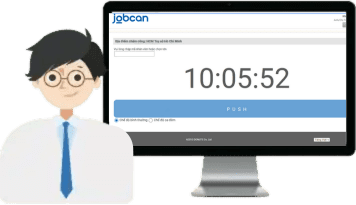
Jobcan's Convenient Features
-
 Automated aggregation of attendance data
 -
 Reminder function to prevent missed clock-ins
 -
 Integration with payroll software
Problem 2:Shift scheduling is a difficult task...
- ・Creating complex shift schedules is time-consuming
- ・Managing overtime and leave requests is labor-intensive
- ・It's hard to track employee shift requests and manage staffing levels per shift

Jobcan's Time & Attendance Management Software
can solve it!
can solve it!
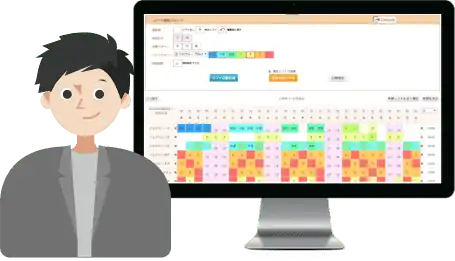
Jobcan's Convenient Features
-
 Function to incorporate employee shift preferences
 -
 Automated shift schedule generation
 -
 Automatic allocation and management of remaining leave days
Problem 3:The challenge of going paperless...
- ・Insufficient storage space for time cards and related documents
- ・Difficulty locating specific documents during audits
- ・Disposing of documents that have passed their retention period is a hassle

Jobcan's Time & Attendance Management Software
can solve it!
can solve it!
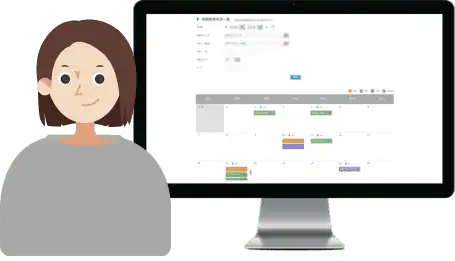
Jobcan's Convenient Features
-
 Digital time card ledger function
 -
 Leave and overtime request feature
 -
 Function to view and export a list of requests
Get Started in 4 Simple Steps
Go live in as little as one day!
-

STEP 01
Create Your Free Account
You can create a free account in just 1 minute. No credit card required. You won't be charged until you choose to upgrade. -

STEP 02
Initial Configuration
Register Staff > Set up Departments/Locations > Define Employment Types > Configure Calculation Settings -

STEP 03
Start Your Free Trial
Test drive all features with our 30-day, all-access free trial. During the trial, you can also test clock-in devices (free of charge). For more on clock-in methods, please see here. -

STEP 04
Subscribe to a Paid Plan
If you wish to continue using the service after the trial, you can easily subscribe to a paid plan from your Jobcan settings screen.
Dedicated Customer Support
Our dedicated support team is available to assist you for free via multiple channels, both during your trial and after you subscribe.
-

Email Support
-

Zalo
Frequently Asked Questions
- What kind of support is available?
- We accept inquiries at any time via phone, email, and Zalo chat.
If you have any questions or concerns, please feel free to contact our support desk.
- Is it okay even if the company does not have a dedicated IT person?
- Yes, that is perfectly fine.
System operation and management tasks that would normally be handled by a dedicated IT person, such as system version upgrades and server management, are handled by us. Customers only need to manage the initial setup items.
In addition, Jobcan is designed to be easy to configure, and almost all customers who have introduced the system use it by referring to the “Help Page” and “Tutorial” available on the management screen.
Therefore, no specialized system knowledge is required, and it can be used much like searching for information on the internet.
If you have any questions regarding implementation, please feel free to contact us.
- Is it okay even if I am not familiar with using a PC?
- ■ For employees
The system supports attendance recording by IC card, facial recognition, fingerprint recognition, and more, so no difficult operation is required. In practice, employees do not need to operate a computer.
In some cases, such as GPS punching or shift applications, operation through the app may be required. However, the app is designed simply so that anyone can use it immediately, allowing operation to begin without significant training costs.
■ For administrators
Administrators use Jobcan by logging into the management screen.
As long as you have an ID and password, no special setup or operation is required. After logging in, you can use it much like browsing a normal website.
The management screen is designed so that it can be used even without reading the manual. Please try it first during the free trial period.
If you have any questions regarding the setup, we will be happy to support you carefully. Please feel free to contact us.
- Is there a limit to the number of employees who can use the system?
- There is no limit.
Jobcan does not set any specific limit on the number of staff members that can be registered in the system. When you want to increase or decrease the number of registered staff, you can do so flexibly at your convenience. This flexibility is also one of Jobcan’s key features.